You found the job.
You tailored your resume.
Stop retyping everything else.
The ResumeStart extension reads your resume and fills job application forms automatically — name, email, LinkedIn, eligibility questions, location dropdowns, and even open-ended custom fields.
Prefer to work in an AI assistant? ResumeStart works inside ChatGPT & Claude too.
The real cost
Retyping your own name, forty times over
Every application form asks for information that is already on your resume — name, email, phone, LinkedIn URL, current company. You type it again anyway. Multiply that by a serious job search.
to complete a typical application form — work history, dropdowns, eligibility questions, the optional cover letter box
in a month is not unusual for an active job search targeting competitive roles
of unpaid data entry — two full working days — before a single human has read anything you submitted
“It is a tax on every serious job search. Retyping your LinkedIn URL for the thirty-seventh time has no signal value. It tells the employer nothing about you. It is just overhead.”
Why browser autofill fails
Chrome autofill doesn't know what a job form is asking
Job application forms don't follow standard field naming. Every ATS vendor names things differently. Browser autofill pattern-matches on field types — not on what the form actually means.
Chrome autofill
ResumeStart extension
How it's different
Resume-aware autofill.
Not pattern-matching.
The extension reads your tailored resume from your ResumeStart account and uses it as the source of truth for the form. The form and your resume are no longer two separate things you have to manually keep in sync — they are expressions of the same data.
What it fills
It handles the hard fields too
Most autofill tools stop at name and email. This one goes further — the fields that actually slow you down.
Standard fields
Personal info that should never require manual entry. Always filled correctly.
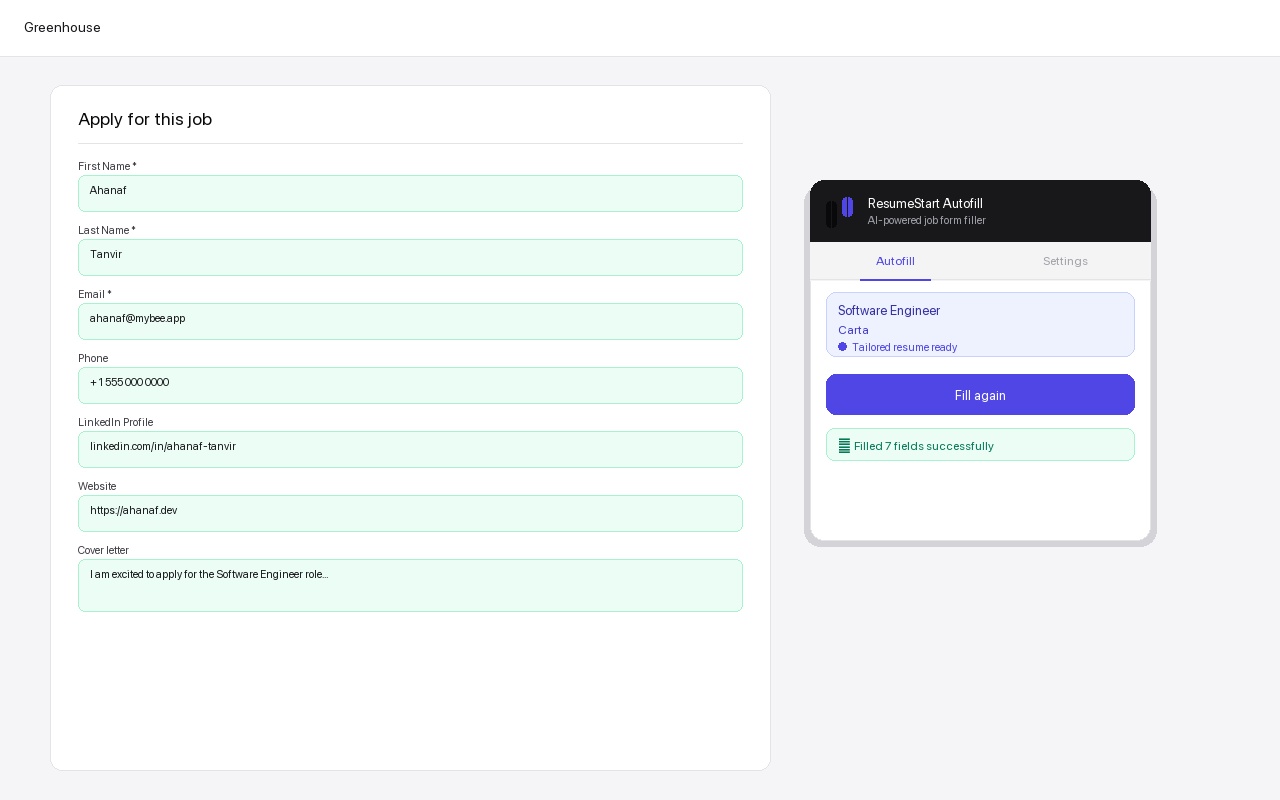
- First name, last name, email, phone
- LinkedIn, GitHub, personal website
- Current location, city dropdowns
- Country and state/province selects
Smart dropdowns
Yes/No legal questions that every form asks and every candidate answers the same way.
- Work authorization — automatically Yes
- Visa sponsorship — automatically No
- City checkboxes matched from your location
- Background check consent
AI-written answers
Open-ended questions answered in first person, using your actual resume as context.
- "Why do you want to work here?"
- "Describe a challenge you overcame"
- "What tools do you use for X?"
- Years of experience brackets
Setup
From install to first fill in five minutes
The whole setup takes less time than filling out one form by hand.
Step 01
Tailor your resume first
Use Prepare & Apply in ResumeStart. The AI adjusts your resume for the specific job — the extension picks it up automatically when you open the form.
Step 02
Open the application form
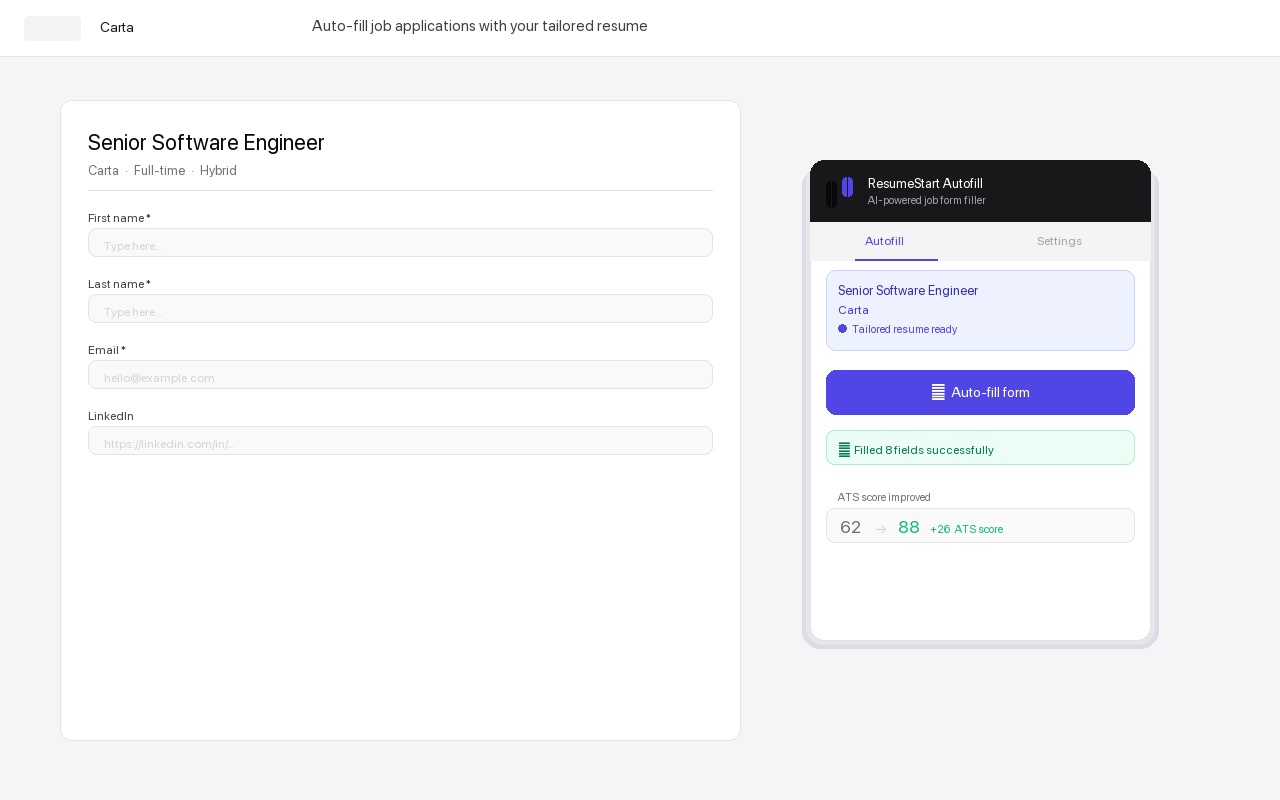
Navigate to the job page in Chrome. The extension recognizes the URL and shows your tailored resume is ready.
Step 03
Click Auto-fill
One click. Standard fields, Yes/No dropdowns, location typeaheads, and open-ended custom questions — all handled.
Step 04
Review, then submit
Thirty seconds to skim the AI-written answers. Edit anything you want to personalize, then submit.
In action
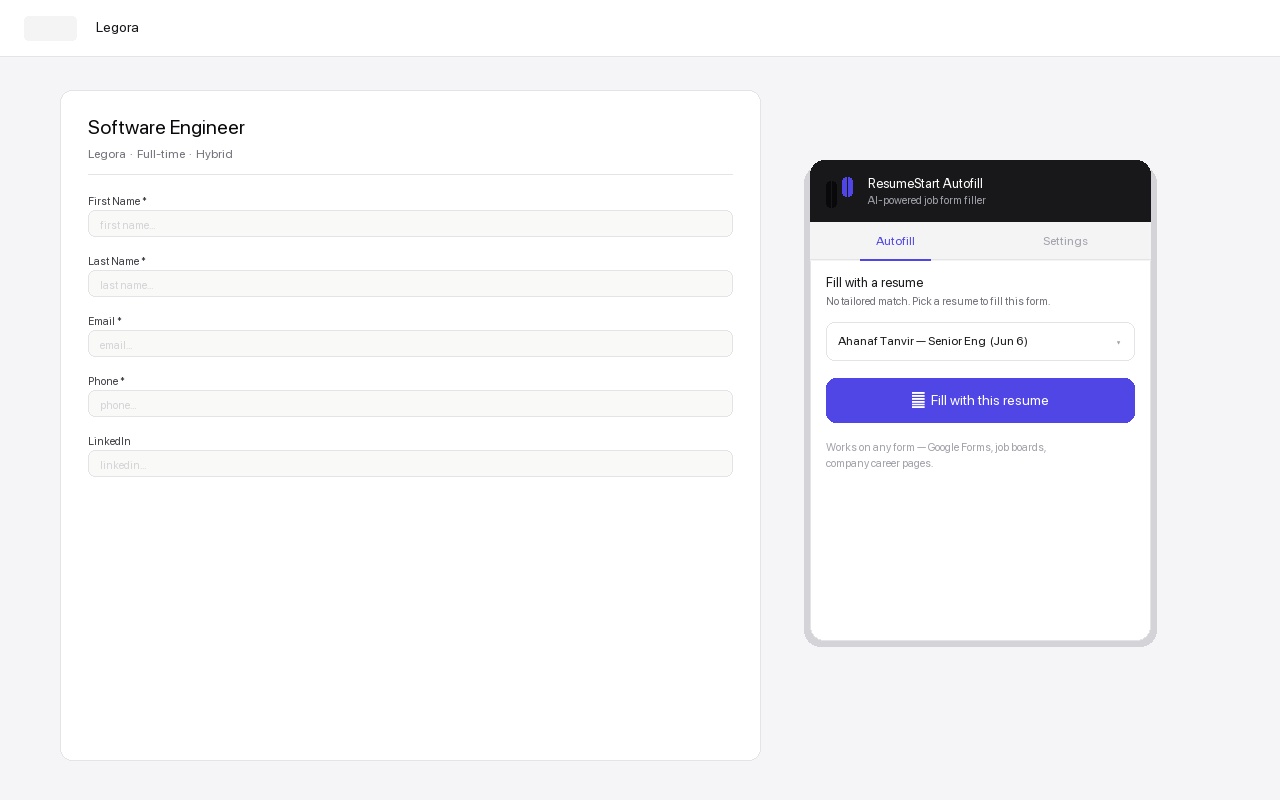
See what fills automatically
Safe & private
Built to be trusted with your job search
An extension that reads your resume and fills forms should be transparent about what it does with your data. Here is exactly how it works.
Your resume never leaves your account
The extension reads your resume from your ResumeStart account to fill the form in front of you. It does not collect, store, or sell your personal data.
Nothing is submitted automatically
Auto-fill only populates the fields. You review every answer and click submit yourself — you are always in control of what gets sent.
Minimal, scoped permissions
It runs only on the application page you are filling so it can read and complete the fields. It does not track your browsing or read your other tabs.
Open about what it does
No hidden behavior. Read exactly what data is used and how in our privacy policy before you install.
Read the full privacy policy.
Questions
Frequently asked
Is the extension free?
The extension is free to install, and a free ResumeStart account includes 5 autofills so you can see it work on real applications. After that, autofill is a Pro feature — Pro is $5 for your first month, then $18/month, and includes unlimited autofill.
Do I need a ResumeStart account?
Yes. The extension fills application forms using the resume stored in your account, so you connect it once and it works on every supported site. A free account is enough to get started.
Which job sites does it work on?
Greenhouse, Lever, Ashby, and Workday are fully supported, plus Google Forms, custom career pages, and university job boards. For any other form it falls back to a resume picker so it still works.
Is my data safe?
Your resume stays in your ResumeStart account. The extension does not sell your data or store the forms you fill, and you review every field before anything is submitted.
Does it submit applications for me automatically?
No. It fills the fields; you review the answers and click submit yourself. You are always in control of what is sent to an employer.
What permissions does it need and why?
It only needs to run on the job application page you have open so it can read the form fields and fill them from your resume. It does not read your browsing history or other tabs.
Free to install
The next form you open will be the last one you fill out by hand.
Connect your ResumeStart account in under a minute. Works on Greenhouse, Lever, Ashby, Workday, and any other form you point it at.